

Personal Kanban's greatest benefit is helping you avoid doing too much at once while giving you a quick, visual overview of your work.
What is Personal Kanban?
Personal Kanban is a simple system for managing tasks. Its greatest benefit is helping you avoid doing too much at once while giving you a quick, visual overview of your work. It is related to, but not the same as, the Kanban operating method used by Toyota in car manufacturing.
The idea of “Personal Kanban” appeared when productivity experts Jim Benson and Tonianne DeMaria Barry wrote Personal Kanban: Mapping Work | Navigating Life in 2011.
Personal Kanban is based on 2 main principles:
Visualize your work. At any moment, you can see your overall workload, quickly identify the next task, and immediately recognize priorities and completion times. This system makes it easy to add, remove, and reorganize tasks.
Limit your work in progress. In other words, limit the number of tasks you do within the same period. First, it helps you visualize your work without too many things happening at once. Second, it helps prevent exhaustion from doing too much. Managing your workload carefully will help keep you from ruining your career.
How do you start with Personal Kanban?
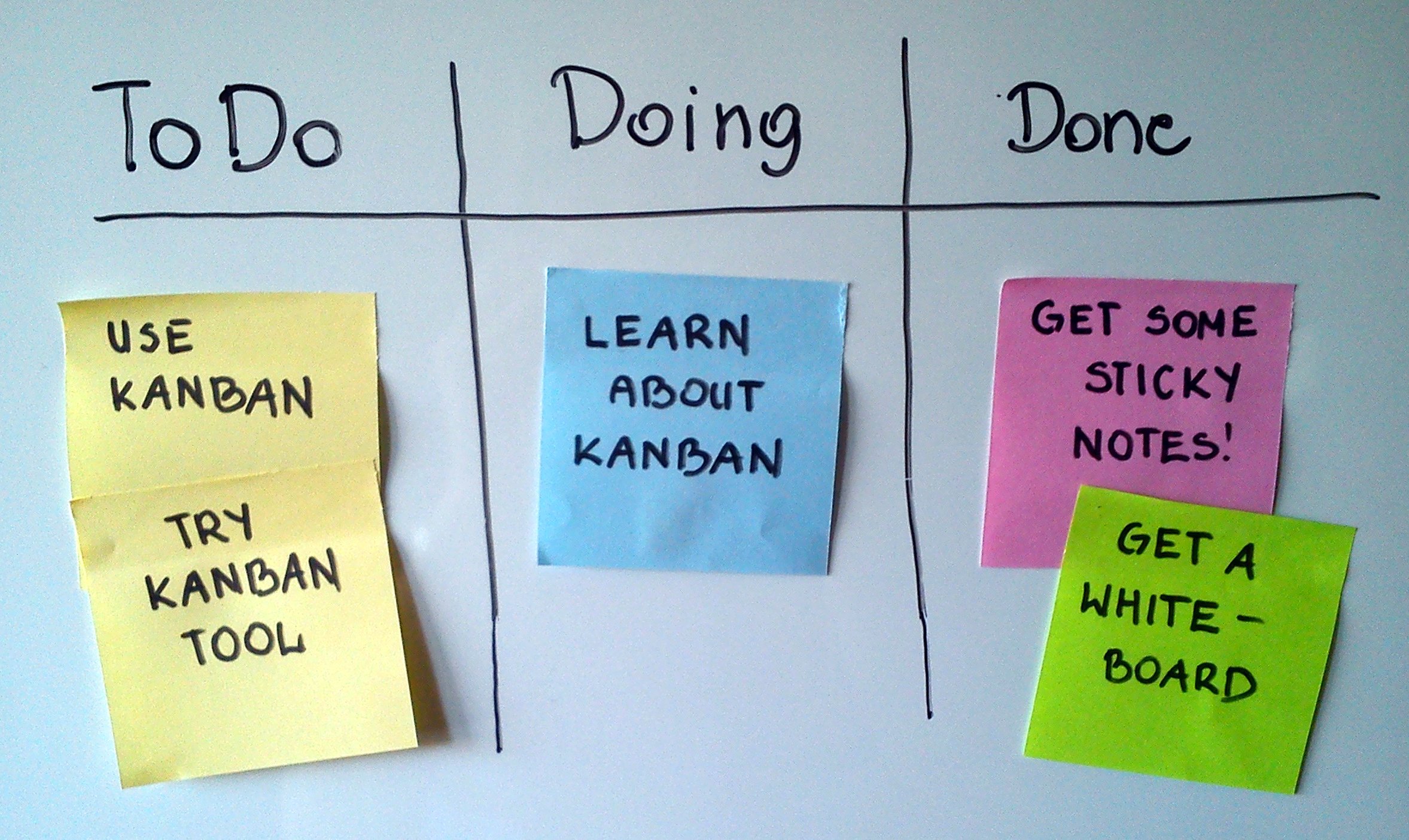
It is very simple: all you need is a place to put and arrange your to-do list on a Personal Task Board. What matters is how the tasks are organized. Sometimes all you need is a board with 3 simple vertical columns: “To do,” “In progress,” and “Done.”
The “to do” column contains all the tasks you need to do but will not perform immediately, leaving them for another time. When a task arises, put it in “to do” first and carefully consider whether to do it now or later. This is essentially “planning,” which helps you establish a more systematic sequence and method for your work. Many people start an assigned task immediately without thinking or planning. That is certainly not a good strategy.
The “in progress” column includes tasks you are currently doing or plan to do immediately. When you decide to do something, move the task to the “in progress” column; you can record the starting date and time. Ideally, you can arrange them by priority so you can always see at a glance which task needs attention first. Keep the number of tasks in this column limited to around 3-5 for maximum efficiency.
When you finish a task, move it to the “done” column. You can record the completion date and time for later evaluation. Most importantly, keep it on your Kanban board so you can see how much you have accomplished and gain more motivation.
That is a simple Kanban. You can use a whiteboard, draw columns and easily add or erase tasks. Alternatively, draw columns and use sticky notes for each task, moving them without rewriting. Sticky notes also come in many colors, helping organize priorities. For example, yellow for medium priority, purple for low priority and yellow for the most important tasks.
Apps and tools supporting Personal Kanban
If your workspace has no room for even the smallest board, you still have many other options. Here are some apps and tools that can help:
Trello: This is a popular tool built in the Kanban style. All you need to do is define the columns and start adding tasks. You can even add due dates, notes, reminders, images, and more…
KanbanFlow: You can add notes and reminders to Kanban items, organize priorities visually, limit work in progress,… The tool's website works quite well on phones and tablets.
Evernote (with Kanbanote): This application has already created To Do/In Progress/Done columns for you.
Collected


